USB Cables and Charging Wires: A Complete Guide to Selection, Usage, and Design Integration
USB cables and charging wires are the quiet, often overlooked backbone of nearly every modern workflow. They power smartphones, connect external drives, sync cameras, charge laptops, and link countless peripherals. Yet the sheer variety of connectors, charging protocols, and data transfer standards can turn a simple accessory into a bottleneck when chosen carelessly. For professionals who rely on seamless connectivity—creators, entrepreneurs, educators, and marketers—understanding these cables is not just technical curiosity; it is a matter of productivity and dependable output.
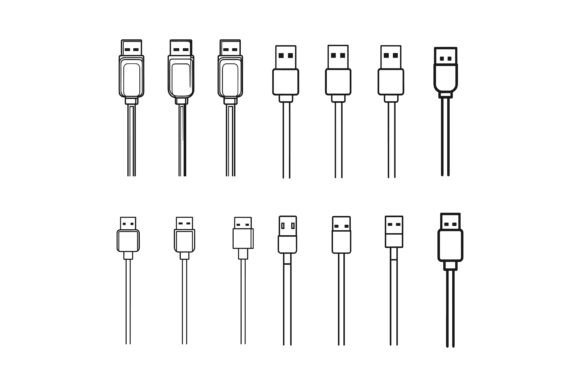
This article moves beyond basic descriptions. It examines how USB cables and charging wires fit into real project planning, execution, and long-term asset management. It also shows how high‑quality vector illustrations of these everyday tools can streamline design work for websites, apps, presentations, and print materials—giving you ready‑to‑use visual assets that maintain consistency and professionalism across every touchpoint.
Understanding USB Cable Types and Their Roles in Your Workflow
Every USB cable performs two core functions: moving data and transferring power. Which of those you prioritize heavily influences the connector shape, generation, and internal wiring you need. Recognizing these differences early helps you avoid slowdowns during actual work.
The most common physical connectors today include USB‑A (the rectangular plug you see on countless chargers and computers), USB‑C (oval, reversible, and increasingly the universal standard), Micro‑USB (still prevalent in older devices and budget electronics), and Lightning (Apple’s proprietary connector). USB‑C deserves special attention because it can carry high‑speed data, high‑wattage power, and even video signals over a single cable. For anyone editing video off an external SSD, presenting from a laptop, or charging a modern tablet, USB‑C is often the best unifying choice.
Beyond the shape, cable versions like USB 2.0, USB 3.0, 3.1, 3.2, and USB4 determine data throughput. A USB 3.0 cable typically supports 5 Gbps, while USB 3.2 Gen 2×2 reaches 20 Gbps. Using the wrong version can turn a fast external drive into a frustratingly slow experience, dragging out file transfers and backup routines. For daily workflows involving large photo libraries, 4K video footage, or hefty design project files, investing in cables rated for at least USB 3.1 Gen 2 is a practical step that pays back in saved minutes—every day.
Charging Wires and Power Delivery: What You Need to Know
Charging speed depends on more than the wall adapter. The cable itself must support the correct amperage and, where applicable, the Power Delivery (PD) protocol. A cable that looks identical to another may cap charging at a slow rate simply because its internal wires are thinner or lack an e‑marker chip. That chip communicates with the charger and device to negotiate higher voltages—crucial for fast‑charging modern laptops, tablets, and phones.
When building a mobile workstation or an event‑ready kit, match your charging wires to the wattage your devices can accept. If a laptop needs 65 W via USB‑C, a cable only rated for 15 W will cause the charger to fall back to a lower power tier, potentially leaving you without a full charge even after hours plugged in. Similarly, charging wires for multi‑device workflows—such as a field recorder, a wireless microphone receiver, and a power bank—should be clearly labeled or color‑coded to avoid confusion and reduce setup time.
For anyone who travels between workspaces or runs a small business where uptime matters, keeping spares organized by capability is a simple yet effective organizational habit. This upstream decision prevents last‑minute scrambling and ensures that every tool you rely on powers up exactly when needed.
Data Transfer and File Management: The Invisible Backbone
When you treat USB cables as part of your file management pipeline, you start choosing them based on the size and sensitivity of your data. For time‑sensitive deliverables—sending final proofs to a print shop, backing up a client’s project folder, or transporting a large dataset between machines—a reliable, high‑speed cable eliminates hidden friction.
Creative professionals often juggle RAW photo archives, uncompressed audio stems, or dense vector illustration folders. A single slow cable can turn a 10‑minute transfer into a 45‑minute interruption. In collaborative environments, that delay can cascade, affecting team schedules and publishing calendars. By standardizing on a set of tested, high‑quality USB-C cables rated for your required data speed, you turn a potential variable into a fixed, dependable constant.
It also makes sense to occasionally test your existing cables. A utility like Blackmagic Disk Speed Test on Mac or CrystalDiskMark on Windows can reveal whether a cable is delivering the expected throughput. Cables that fail to hit their rated speed—or show intermittent disconnects—should be removed from your active workflow and relegated to low‑priority charging only.
Organizing and Maintaining Your Cable Ecosystem
Physical clutter in a workspace is mental clutter. Loose, tangled charging wires slow down setup times, cause unnecessary wear, and make it harder to locate exactly the right cable when deadlines loom. A practical organization system—simple cable ties, labeled pouches, or drawer dividers—goes a long way in maintaining a clear mind.
Consider grouping cables by primary use case. One set might be dedicated to the desktop docking station, another to the travel bag, and a third as backup inventory. Label cables by length, speed rating, and power capability using flag tape or colored heat‑shrink tubing. This small upfront effort saves tremendous time during high‑pressure moments before a presentation, livestream, or client meeting.
Long‑term care matters, too. Avoid sharply bending cables near the connector, as that is where internal wires fracture first. Whenever possible, unplug by gripping the connector itself rather than yanking the cord. For cables that will be packed and unpacked frequently, consider braided jackets that resist kinking and extend lifespan. These maintenance habits are not just about frugality; they preserve the reliability you depend on for daily execution.
From Physical Tools to Digital Assets: Visualizing USB Connections in Your Projects
So much of modern communication happens visually. Tutorials, product guides, UI mockups, corporate training materials, and blog posts all benefit from clear, accurate depictions of the tools being discussed. USB cables and charging wires frequently appear in these contexts—whether showing a connection port, illustrating a charging setup, or onboarding a new app user.
Creating those visuals from scratch, however, introduces unnecessary overhead. Designing a set of consistent, scalable vector icons for different USB connectors demands time, attention to proportion, and familiarity with industry standards—distractions that pull you away from your primary work. This is where a ready‑made, thoughtfully organized illustration set becomes a strategic asset.
Integrating High‑Quality Vector Illustrations into Your Design Workflow
Vector illustrations give you flexibility for practically any medium. They scale without losing quality, making them suitable for everything from a small app icon to a large exhibition banner. When your project requires a USB‑A, USB‑C, or Micro‑USB icon, having a meticulously crafted AI EPS file on hand eliminates guesswork. You can confidently drop the graphic into a presentation slide, an infographic, or a landing page layout, knowing the proportions are precise and the line weights remain consistent with your brand style.
The ability to edit colors, adjust stroke thickness, and modify anchor points inside Adobe Illustrator (or compatible vector software) lets you tailor each illustration to your unique design language. This adaptability means a single illustration set can serve multiple client projects, internal templates, and platform variations—without the need to hunt for new assets every time a requirement shifts.
For professionals who manage several concurrent projects, maintaining visual consistency is a challenge. Stock photos and mismatched icons can erode the polished feel of a brand. A dedicated collection of USB cable and charging wire illustrations, built on a unified grid and consistent line style, removes that risk. You gain a visual library that feels cohesive, whether you are building a product comparison chart, a user manual, or a set of onboarding screens.
Why the AI EPS Illustration Set Is a Practical Asset for Creators
When evaluating illustration resources for your projects, certain features make a meaningful difference in day‑to‑day workflow. The AI EPS collection designed to complement USB and charging wire content was built with those practical needs in mind. Its file structure and editability align directly with the demands of busy creators and business owners.
- AI EPS and JPG formats included: Work directly with layered vector files for high‑resolution print and scaling, or use the ready‑to‑go JPG versions for quick web placements.
- Cross‑platform compatibility: The files are designed for both Mac and Windows users, so you can collaborate without format headaches.
- Neatly organized file and layer structure: Every object is logically grouped and properly named. You spend less time hunting for individual elements and more time customizing.
- Perfection in details and consistency: Each connector, wire, and port is proportionally accurate, based on actual physical specifications. The stroke weights and styling remain uniform across the entire set.
- Suitable for multiple outputs: Use the illustrations in print projects, web pages, app symbols, infographics, sell sheets, and instructional content—without ever worrying about pixelation or mismatched aesthetics.
- Effortless editing: Change colors to match your brand palette, modify the shapes to emphasize certain features, or combine elements to create entirely new connection diagrams. The structure makes these edits straightforward, even for non‑specialists who have basic Illustrator skills.
Integrating such a set into your content creation process means you can illustrate walkthroughs, highlight product features, or educate your audience about the right cable for their needs—without commissioning custom graphics or spending hours tracing photographs. This speeds up draft production, giving you more time to refine the message and the strategy behind the visual.
Moving Beyond the Cable: Connecting Productivity and Visual Clarity
USB cables and charging wires are not just peripheral accessories. They are enablers of reliable, uninterrupted work. Selecting the right cables based on data speed, power delivery, and physical durability directly affects your output quality and stress levels. Equally, the way you present these tools to a team, a client, or an audience matters. A clear, professionally illustrated guide fosters trust and reduces misunderstandings.
When you combine practical knowledge about cable standards with a high‑quality visual toolkit, you cover both the functional and the communicative sides of your projects. The research, planning, and implementation that go into choosing cables become something you can share visually—whether through a quick reference chart, a social media post, or a formal document.
For entrepreneurs building a product that includes USB connectivity, for educators creating how‑to materials, for marketers designing ad creatives that highlight fast charging, and for designers refining user interfaces—the bridge between the physical object and its digital representation is where clarity is won or lost. A vector illustration set that accurately captures the subtle details of USB connectors, cable sheathing, and plug orientation gives you that clarity immediately.
Making the Decision to Level Up Your Visual Resources
Think about the next project that will involve a diagram of device ports, a charging station infographic, or an app screen with USB connection prompts. Imagine having a folder on your drive containing precisely drawn, fully editable AI EPS files for every common USB and charging wire type. Now consider how much faster your initial draft would be, how much more confidently you could iterate on feedback, and how unified your final design would appear across all deliverables.
That level of preparation helps you avoid the stop‑start pattern of searching for free icons, finding ones that almost fit, and then manually correcting perspective or line weight—a process that siphons creative energy and eats into deadlines. A purpose‑built illustration collection eliminates that friction. It becomes a reusable, long‑term component of your production toolkit, much like a trusted set of camera presets or a go‑to coding library.
The same principle applies to your physical cable arsenal. Just as you deliberately curate your software and hardware to support smooth execution, curating a dedicated folder of editable vector assets ensures that the visual side of your work never lags behind your ideas. Whether you are documenting a setup, promoting a product, or teaching a concept, the right imagery supports the message instead of distracting from it.
When you are ready to bring that clarity into your next piece of content, the AI EPS illustration set is available to download and start using immediately. Its layered structure, cross‑platform design, and meticulous attention to detail make it a practical addition for anyone who values both speed and quality. Bring accurate, adaptable USB and charging wire visuals into your workflow—and turn a routine cable into a polished, professional statement.